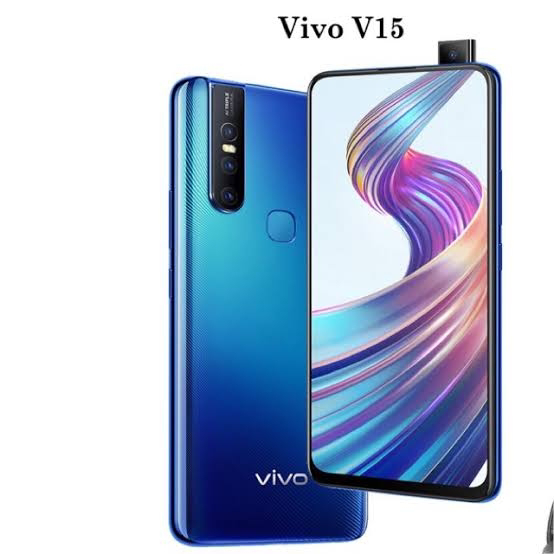
how to unlock bootloader vivo v15/15pro easily method 😍
How to unlock bootloader vivo v 15/15pro easily method 😍

First Method
1.Connect your device to PC via USB cable.
2.Navigate to the folder where you have installed Android SDK and Platform Tools.
3.Inside the folder, while pressing the ‘Shift’ key, right-click on an empty location.
4.Select ‘Open PowerShell window here’.

5.Well, you could also use Command Prompt if you wish. For that, type in cmd in the address bar and hit Enter.
6.Next, type the below code to boot your device to fastboot/bootloader mode:
adb reboot bootloader

7.Now type the below code to unlock the bootloader of Vivo V15 PRO. Executing the below code will also wipe off all the data from your device.
fastboot bbk unlock_vivo

8.If you get a confirmation message on your screen, reply in affirmative (‘Yes’, ‘I agree’, Unlock the Bootloader’, etc).
Reboot the device by typing the below code:
fastboot reboot


Second method
Downloads :-
BLUnlocker_v1.zip
QDLoader_HS_USB_Driver.7z
Steps to unlock bootloader :-
1. Extract the BLUnlocker_v1.zip (You have done this already, trust me, i know you did it
2. Install Qualcomm USB Driver for Qdloader 9008 mode.
3. Get your phone, press vol up & down buttons together & connect USB at the same time.
4. Extract your firehose file from your stock firmware (It's usually named like 'prog_emmc_firehose_****.mbn') & place it in the current directory.
5. Check the port number your device is connected to in WIndows Device Manager. (Looks like COM*)
6. Double Click the 'dump_devinfo.bat' file.
7. Enter the port number (from step 5) & press enter
8. Edit your devinfo.img using HxD Hex Editor as shown in my video (Or you can comment on my channel with a link to your devinfo.img)
9. Double click 'unlock.bat'
- Congratulations! you have successfully unlock bootloader
- (like,share,comment)THANKS FOR (VISITING) Rooter.God
hope this guide was helpful to unlock bootloader Easily process . If you have any queries or feedback, please leave a comment below.


Comments
Post a Comment
Please do now post spam link and adult content !